ERP vs Excel: When Should a Growing Business Make the Switch?
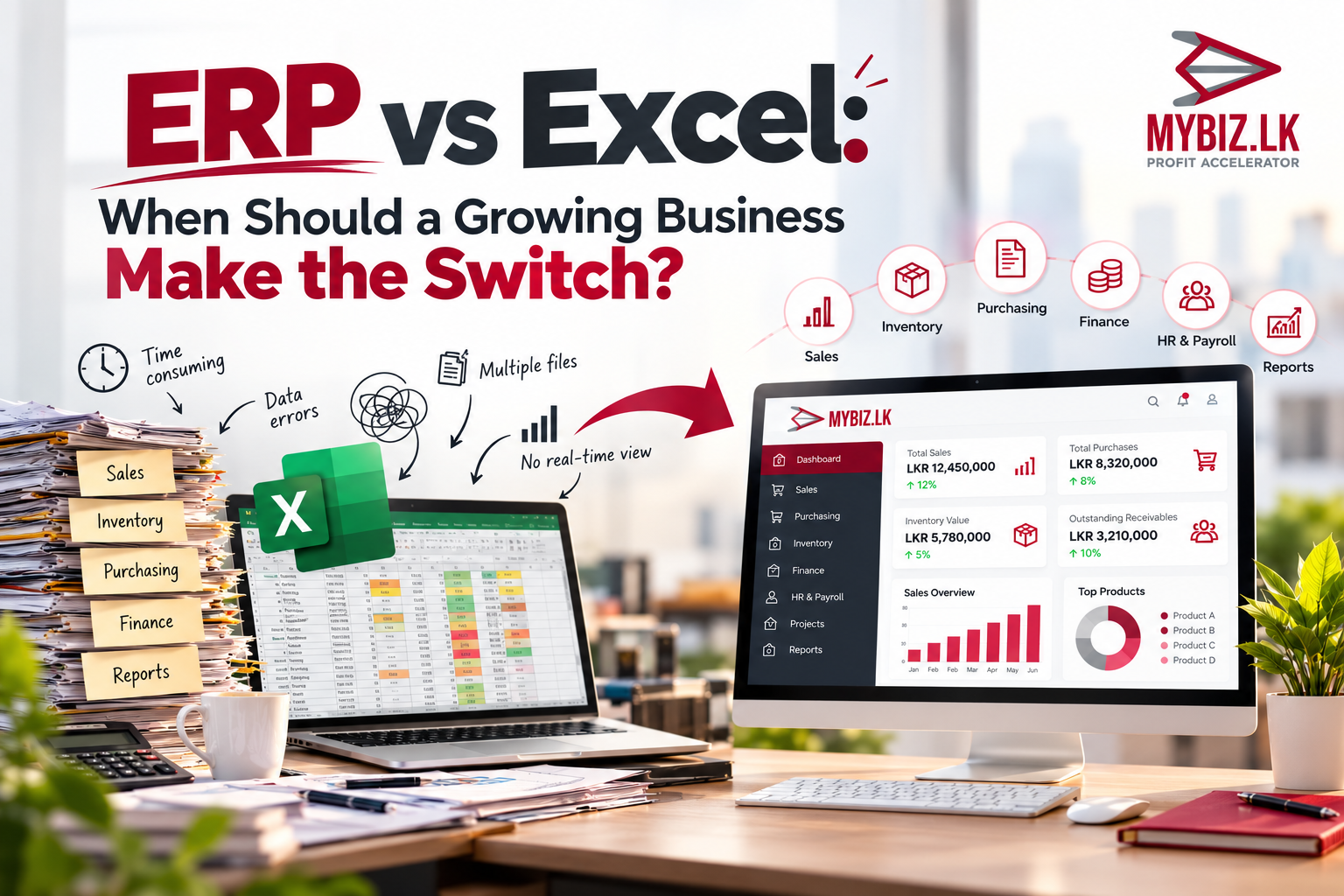
Excel is a useful tool for managing everyday business activities, but as a business grows, keeping everything organized across multiple spreadsheets can become challenging. From inventory tracking and financial reporting to managing sales and purchasing, disconnected information can slow down daily operations.
This article explores the key differences between Excel and ERP, the common signs that your business may have outgrown spreadsheets, and how Sri Lankan SMEs can decide when it's the right time to move towards an integrated business management system.
Introduction: Is Excel Still Enough for Your Growing Business?
Walk into many small businesses in Sri Lanka, and you will find Excel quietly keeping things running. One file tracks daily sales, another records expenses, and a third monitors stock. It is familiar, easy to adapt, and for a business with straightforward operations, often does the job perfectly well.
Growth changes the picture. More products, suppliers, customers, employees, and locations create more records to maintain. Sales may have one spreadsheet, stores another, and finance a third. Teams then spend valuable time transferring information, checking conflicting figures, and preparing reports. The important question is not whether Excel is good software. It is whether a spreadsheet-based process still fits the business.
That is usually when the conversation turns to Enterprise Resource Planning, or ERP. Rather than keeping important activities in separate files, an ERP system can connect them in a shared workflow. But making the switch is a business decision, not a technology trend. The real question is whether a connected system would solve problems that are now costing your team time, money, or visibility.
1. Why Businesses Start With Excel
Low barrier to entry
Businesses that already have Excel can create basic registers and reports without introducing a separate operational system. Initial setup is usually quick, although licensing and staff time still have costs.
Familiarity and flexibility
Employees can adapt worksheets for sales, expenses, stock or attendance. Formulas, tables and charts help with calculations and analysis. For a small team with a manageable number of transactions, these capabilities may be entirely adequate.
A good tool for simple operations
A single-location business with a limited product range and straightforward approvals may be able to manage effectively with carefully maintained spreadsheets, backups and clear responsibilities. Moving to ERP should solve real problems, not merely follow a trend.
2. Where Spreadsheets Become Difficult to Manage
Disconnected records
Imagine a distribution company whose sales, purchasing, warehouse, and accounts teams each maintain separate files. An order recorded by sales may not immediately appear in the warehouse record. A stock receipt may be updated in stores but not reflected in purchasing or finance. Even when every team works diligently, the business lacks one consistent operational picture.
Repeated manual work
The same customer order may need to be copied into a sales register, delivery record, inventory worksheet, and accounts file. This creates opportunities for missed updates and consumes time that could be spent serving customers or improving operations.
Delayed reporting and version confusion
When managers request current sales, overdue payments or stock positions, employees may need to reconcile several worksheets first. Shared spreadsheets and cloud collaboration reduce some version problems, but they do not automatically create integrated business workflows.
Control and accountability
Growing companies often need clear permissions, transaction approvals, and reliable histories of changes. Excel offers file protection, collaboration and validation features. A suitably configured ERP can additionally manage business roles, approval paths and connected transaction records.
3. ERP vs Excel: Key Differences
Think of Excel as a flexible workspace for numbers and analysis. It is excellent when you need to build a quick calculation, compare figures, or explore a new idea. ERP serves a different purpose: it helps people across the business complete connected activities, from an order being received to stock being updated and a payment being recorded. The difference is less about which tool has more features and more about how information moves through the company.
There is an important qualification here. A carefully designed spreadsheet can be far more useful than an ERP system that has been chosen or implemented badly. Both tools depend on sensible processes, reliable data and people who know how to use them.
Example: A printing order
A printing business receives an order for 5,000 labels. With separate files, sales records the order, stores checks materials, purchasing identifies shortages, production schedules the job, and accounts prepares the invoice. Employees must keep those records aligned. In an integrated ERP, the same activities can form a connected workflow, depending on the modules implemented. The benefit is not just digital storage but coordination between departments.
4. Seven Signs Your Business May Have Outgrown Excel
Sign 1: Employees repeatedly enter the same information
A small amount of copying is easy to overlook. But when several people spend part of every day entering the same orders into different files, the hours add up. More importantly, every extra entry creates another chance for a missed or inconsistent update. If this sounds familiar, it is worth tracing where the information first enters the business and why it has to be entered again.
Sign 2: Stock records do not match physical inventory
When sales and warehouse updates are disconnected, businesses risk selling unavailable items, over-ordering, or spending time reconciling stock. Integrated inventory processes can help, but accurate stock still requires disciplined recording and physical checks.
Sign 3: Financial and management reports arrive too late
A construction company may need to compare costs and revenue across projects. If project purchases, expenses and receipts live in separate files, a current view of profitability may be difficult to prepare. Integrated reporting can reduce manual consolidation.
Sign 4: Departments work with different figures
Sales, stores, purchasing and finance depend on one another. When each team relies on a different version of the truth, coordination becomes slower, and decisions can conflict.
Sign 5: Spreadsheet mistakes affect operations
Incorrect formulas, overwritten cells, missing transactions and inconsistent product codes can affect invoices, orders, and reports. Validation and protection help, but complex processes may call for more standardized controls.
Sign 6: Managers cannot see current performance easily
Owners should be able to obtain useful information about sales, outstanding payments, purchasing and stock without always asking several people to assemble it. A suitable ERP can offer dashboards and connected reports based on entered transactions.
Sign 7: Expansion makes the current process harder to maintain
A system of files built for one location may become cumbersome across multiple branches, warehouses or projects. If each expansion requires another complicated set of spreadsheets, it is time to assess a scalable operational platform.
5. The Hidden Costs of Spreadsheet-Only Operations
Excel may appear inexpensive because the business already has it. But the licence fee is not the whole story. Consider the time spent copying orders between files, checking balances, correcting mistakes and preparing reports that should have been available earlier. There is also the risk of relying on one employee who understands a complicated workbook that nobody else feels confident touching.
Here is one simple way to think about it. Suppose your team spends 100 hours a month on repeated entries, reconciliations, and avoidable corrections. At an illustrative staff cost of LKR 600 per hour, that is LKR 60,000 worth of time each month, or LKR 720,000 over a year. These are hypothetical figures, not a benchmark or a promise of savings. An ERP project has its own costs, and not every manual task will disappear. The point is to measure what your current way of working really costs.
6. When Is the Right Time to Switch?
There is no fixed employee count or turnover level at which every business needs ERP. A better approach is to evaluate the frequency and impact of problems.
Simple operations
For a small team with limited transactions, well-organized spreadsheets may remain sufficient. Improve templates, backups and access practices before committing to a major system change.
Growing operational complexity
If reporting delays, repeated entry, and inconsistent records are becoming regular problems, begin documenting requirements and comparing options. It may be sensible to introduce modules in phases rather than replacing every process at once.
Multiple departments, projects or locations
Businesses coordinating several teams or branches often benefit from standardized workflows and consolidated information. At this stage, a formal ERP readiness assessment is especially valuable.
Questions worth asking your team
Are people entering the same information in more than one place? Do stock balances or financial records regularly need correcting? How long does it take to prepare a report for management? Can departments find the latest figures without calling one another? And when the business grows, do you end up building another complicated workbook?
Several “yes” answers suggest that an ERP assessment may be worthwhile. They do not prove that purchasing ERP is the correct next step.
7. Is ERP Too Expensive for SMEs?
ERP costs differ substantially. The total depends on required modules, user numbers, business complexity, data migration, customization, training, hosting, and ongoing support. A lower-priced product is not necessarily better value if it lacks essential workflows; an expensive product is not necessarily a better fit either.
Compare total cost of ownership over several years, including implementation and maintenance. Then assess expected operational improvements realistically. Request demonstrations using your actual business scenarios rather than relying only on feature lists.
8. How to Move From Excel to ERP Successfully
Map the current process
Identify where information originates, who uses it, which approvals are needed, and where delays or errors occur. Prioritize the problems with the greatest business impact.
Define essential requirements
A restaurant may focus on POS, inventory, and purchasing, while a construction company may need project costing, procurement, and financial reporting. Industry fit matters more than a long generic feature list.
Clean and validate data
Review customer and supplier records, product codes, duplicates, missing information, and opening balances. Poor data can undermine a new ERP just as easily as a spreadsheet.
Plan a phased implementation
Depending on dependencies and risk, businesses may introduce core finance and master data first, followed by purchasing, inventory, sales and industry-specific processes. The sequence should be agreed with the implementation team.
Train users and verify outcomes
Provide role-specific training and check migrated balances, sample transactions, and important reports. Some spreadsheets may continue temporarily during validation. Measure whether the new process actually improves accuracy, timeliness and coordination.
9. Does ERP Replace Excel Completely?
Not at all, and it does not need to. A finance manager may still prefer Excel for a forecast, a one-off calculation, or a presentation. The change is in where the everyday business transactions are managed. ERP can hold the connected operational records, while Excel remains available for the flexible analysis it does so well. The goal is not to ban spreadsheets. It is to stop asking them to act as the entire business management system.
10. Moving Beyond Spreadsheets With MyBiz ERP
MyBiz ERP, developed by Csquare Technologies (Pvt) Ltd, offers industry-focused business software solutions. Csquare Technologies has business software experience dating back to 2007. MyBiz solutions are designed to connect functions such as finance, inventory, purchasing, sales and management reporting, depending on the product and modules selected.
Different industries require different workflows. Construction companies, restaurants, printing businesses, hotels, bakeries, retailers, distributors and manufacturers should assess ERP capabilities against their own operating requirements. A product demonstration should confirm the features, integrations and support arrangements available for the proposed implementation.
Before selecting MyBiz or another ERP, ask whether the system supports essential workflows, what the full implementation cost will be, how data migration and staff training will work, and whether the solution can support future growth.
11. Frequently Asked Questions
Is Excel enough for a small business?
Often, yes. Simple operations with manageable transactions may work well with organized spreadsheets and good controls.
What is the biggest difference between Excel and ERP?
Excel is primarily for spreadsheet-based data work and analysis; ERP connects operational processes and records across functions.
When should a company move to ERP?
When repeated manual work, inconsistent data, slow reporting or complex coordination create significant business problems.
Can ERP and Excel be used together?
Yes. ERP can manage operational records while Excel supports analysis, forecasting and specialized calculations.
Can existing Excel data be imported?
Many ERP products support imports or migration, but data quality and compatibility must be checked.
How long does implementation take?
It depends on process complexity, modules, data, integrations, customization and user readiness. Request a realistic plan from the provider.
Is ERP suitable for Sri Lankan SMEs?
It can be, provided the solution matches the business’s actual requirements, budget and implementation capacity.
Conclusion: Make the Switch When Integration Creates Real Value
Excel has an important place in business management and will continue to be useful. Yet when growing operations depend on increasingly disconnected files, the costs of manual coordination and delayed information can rise. ERP can help create more consistent workflows, stronger controls and a clearer operational picture when it is selected and implemented appropriately.
The sensible next step is not to replace everything overnight. Start by identifying where the problems are most serious. Look at the time being lost, the information managers cannot easily access and the processes that are becoming difficult to control. Then assess whether ERP would genuinely improve those areas. The right moment to switch is when the benefits of better integration are worth the investment and effort.
Is Your Business Outgrowing Spreadsheets?
Explore whether an industry-focused MyBiz ERP solution could support your operations. Request a consultation and discuss your business requirements with the MyBiz team.
MyBiz ERP | Profit Accelerator
Csquare Technologies (Pvt) Ltd
Phone: +94 77 772 1122 | Email: [email protected]
Website: www.mybiz.lk
About Us
At Csquare Technologies (MyBiz.it.com), we help businesses streamline operations with AI-powered automation. With over 15 years of ERP and automation expertise, we’ve transformed workflows across finance, construction, retail, and hospitality. If your organization still spends valuable time on repetitive tasks, it’s time to change.
👉 Consult us today to discover how our AI solutions can save you time, reduce costs, and accelerate profits.
Need help automating your business?
Book a free consultation—roadmap, cost savings, and automation checklist tailored to your business.
Call +94 777 721122 WhatsApp